








- Home
- Collections
- Desks With Built-in Power Outlets
Office Desk With Power Sockets
An office desk with power sockets puts mains sockets and USB charging ports on the workstation itself, so your laptop, monitor, lamp and phone plug in at arm's reach instead of into a tangle of extension leads on the floor. It suits home workers with a wall socket in the wrong place, gamers with a lot of kit and anyone who is fed up crawling about on the floor.
Below are electric sit-stand desks with built-in sockets, plus fixed computer and L-shaped desks with a socket strip. If you only need to charge a phone, our desks with USB ports may be enough.


Refine
Sort by
Desk type
Desktop width
Motor
Weight capacity
Colour
Features
Brand
Customer rating
More like this


Homiflex Homiflex 77.8 inch L shaped desk
Homiflex
- Height adjustable 28.15" to 45.55"
- Built-in charging station included
- Nine storage shelves provided
- Reversible L-shaped design
- File drawer fits legal documents
Kowo Glass Electric Standing Desk
Kowo
- Height adjustable 73-118cm
- Built-in USB-C charging hub
- Tempered glass surface
- Three memory presets
- Metal drawer storage
Klicelor Electric height adjustable desk
Klicelor
- Height adjusts 72-116cm electrically
- Two fabric storage drawers
- Supports up to 70kg weight
- Five cable management channels
- Obstacle detection safety feature

Korfile 66" L Shaped Gaming Desk
Korfile
- Built-in power outlets and USB
- RGB LED lighting system
- Two fabric storage drawers
- Reversible corner design
- Integrated monitor stand

Bestier D471ZUS Corner Computer Desk (113CM, 3D Carbon Fiber)
Bestier
- Reversible shelf storage design
- Built-in LED light system
- Side storage bag included
- Adjustable feet for stability
- Waterproof carbon fibre surface

TIQLAB L Shaped Computer Desk (Black, 139.7cm x 70.1cm)
TIQLAB
- Built-in power outlets with USB and Type-C ports
- Reversible design fits either side
- 2-tier storage shelves included
- Sturdy metal X-frame construction
- Simple assembly with clear instructions

Unikito L Shaped Computer Desk (Black Oak, 108cm x 128cm)
Unikito
- Built-in USB charging ports
- Reversible left or right setup
- Large two-tier storage shelves
- Holds up to 226.8kg
- Scratch-resistant waterproof surface
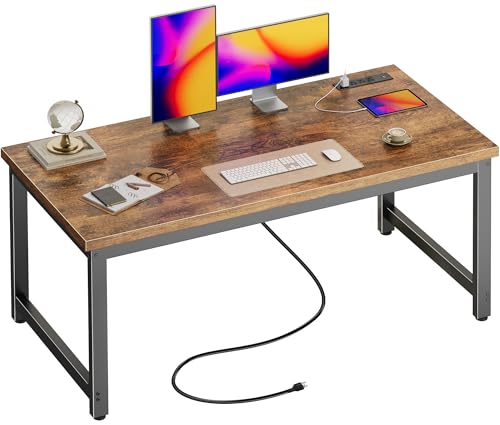
Huuger Computer Desk (Rustic Brown, 55 x 24 inch)
Huuger
- Thick 0.95 inch desktop
- 4 power outlets plus USB-C
- Sturdy 1.97 inch metal legs
- Reinforced corners for stability
- Simple pre-labelled assembly

Dellonda White Electric Height Adjustable Desk
Dellonda
- Electric height adjustment
- Digital memory presets
- Built-in USB ports
- Storage drawer included
- 50kg weight capacity

Aheaplus L Shaped Gaming Desk (Pink, 124cm x 48cm)
Aheaplus
- 3 power outlets and 2 USB ports
- 4-tier open storage shelves
- Smart LED lights with app control
- Reversible design fits either corner
- Moveable monitor stand included

Korfile 47 Inch Computer Desk (Rustic Brown, 5 Drawers)
Korfile
- Built-in LED light strip with 22 modes
- 3 AC outlets and 2 USB ports
- 5 reversible fabric storage drawers
- Full-coverage monitor stand included
- Steel frame with scratch-resistant desktop

Jojoka U-Shaped Gaming Desk (Black, 200cm x 110cm)
Jojoka
- Reversible U-shape and I-shape design
- Built-in power outlets and USB ports
- RGB LED strip with app control
- Full monitor stand included
- Sturdy metal frame with storage space

Tiqlab Computer Desk (Black, 47 Inch)
Tiqlab
- 47 inch desktop with monitor stand
- 4 fabric drawers plus 2 shelves
- Built-in power outlets and USB ports
- Sliding keyboard tray included
- Customisable LED lighting with 20 colours
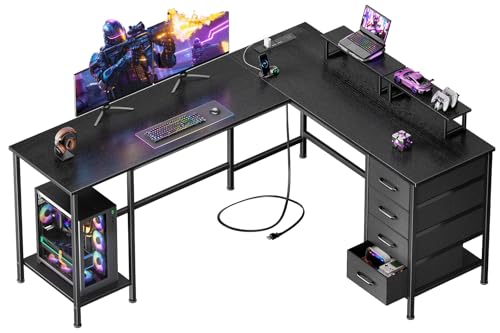
Korfile 66 inch L Shaped Computer Desk
Korfile
- Built-in power outlets and USB ports
- 4 adjustable fabric storage drawers
- 2 movable monitor stands included
- L-shape or straight configuration
- 180 pound weight capacity

Versadesk PowerPro 36" Corner Desk Converter
Versadesk
- Electric height adjustment
- 80lb weight capacity
- Corner space design
- Two-tier workstation
- Three grommet holes

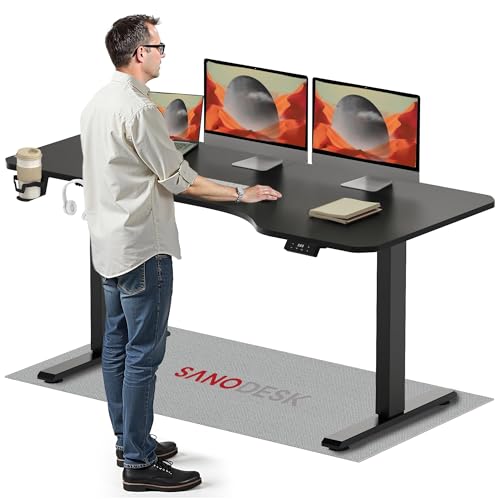
Sanodesk Electric standing desk
Sanodesk
- Height adjustable 73.5-118cm
- Four memory presets
- Integrated storage drawer
- USB charging ports
- Smart control panel

Innovar Glass Standing Desk
Innovar
- Electric height adjustment system
- Tempered glass desktop surface
- Built-in pull-out drawer
- USB and Type-C ports
- Four programmable height presets

Hyomdeck HD-WL-B (Gray Oak, 108cm x 128cm)
Hyomdeck
- 3 flexible desk configurations
- Built-in power strip with USB ports
- Extra storage shelf underneath
- Sturdy metal frame construction
- Scratch resistant desktop surface

Uniheim L Shaped Desk (Black, 119.9cm x 80cm)
Uniheim
- Corner design saves space
- Built-in LED lighting with 20+ modes
- 3 power outlets and 2 USB ports
- 4 fabric storage drawers
- Monitor stand and CPU stand included

Uniheim Computer Desk (Black, 119.9cm x 47cm)
Uniheim
- 5 fabric storage drawers
- Built-in power strip with USB ports
- 7-colour LED lighting with 20 modes
- Monitor stand included
- Sturdy engineered wood construction
What is an office desk with power sockets?
It is a home or office workstation with a mains power unit fixed to it: usually a strip or module with UK three-pin sockets and USB charging ports, set into the desktop, clipped to the back edge, mounted under the front lip or built into a monitor shelf. One power lead runs from the unit to a wall socket, and everything on the desk plugs into its sockets instead.
The point is fewer cables. You plug a laptop charger in without reaching behind the desk, a lamp and monitor share one tidy lead, and there is no extension block on the floor to trip over or kick loose. On a sit-stand frame it has another benefit, covered below: the sockets move up and down with the desk.
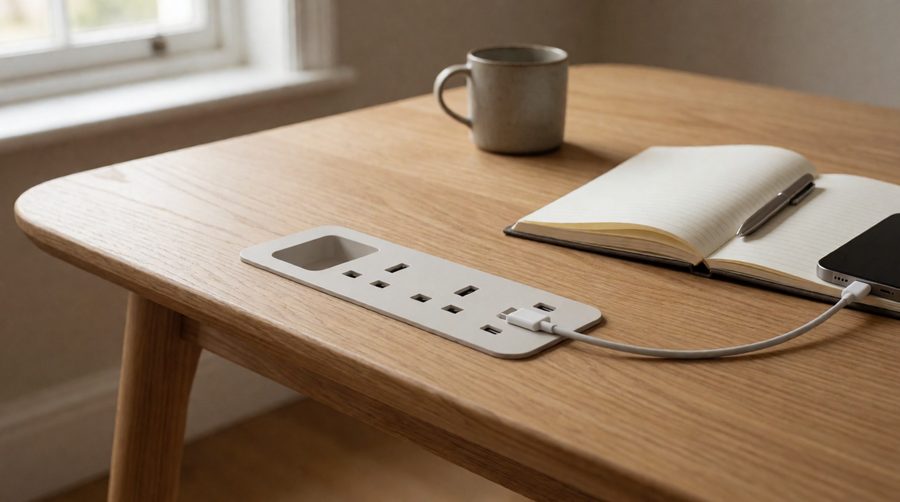
The three kinds on this page
We went through the specs of everything in this collection. "Built-in power" covers three quite different things, and it is worth knowing which one you are buying.
Electric standing desks with mains sockets
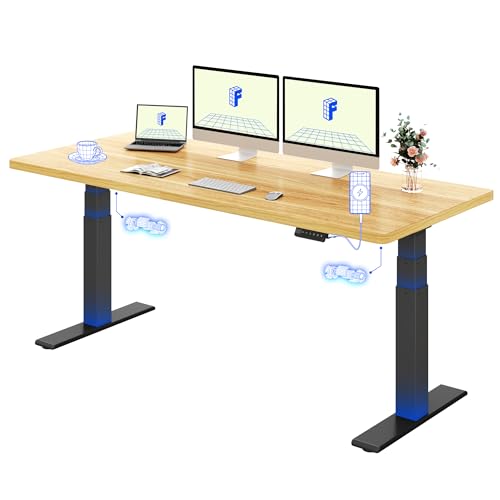
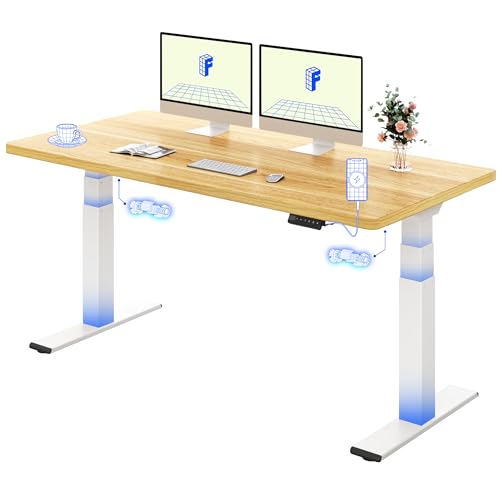
The rarest type, and the most useful if you want to sit and stand. The Huuger electric model has 4 AC outlets, a USB-A and a USB-C port on the desk, so it can run up to 6 devices at once. The HTTGDGDH has 3 AC outlets, 2 USB ports and a Type-C port, in 100 x 60cm, 120 x 60cm and 140 x 60cm sizes, with obstacle detection and overheat protection. The Cafiedr leather-top model also lists integrated sockets and a tall 75-140cm range.
Fixed-height computer and L-shaped desks with a socket strip
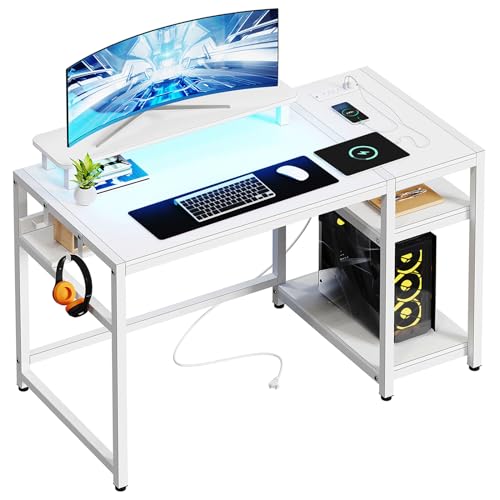
Most of the grid. These are ordinary computer, corner and gaming desks with a socket strip attached, usually with 2-4 sockets and 2 USB ports. The Huuger L-shaped office model (4 AC outlets, USB-A and USB-C, 3 drawers) is rated 4.5 from over 1,400 reviews, and the 166cm Furologee (3 outlets, 2 USB) 4.4 from nearly 1,600.
Standing desks with USB on the keypad only
Many sit-stand frames advertise "USB charging", but on a model like the Dellonda DH54 (2 USB-A and 1 USB-C) or the Elevate 120 (2 USB-A and 1 USB-C) that means ports on the control panel, not mains sockets. They are fine for a phone or earbuds, but you can't plug a monitor, a lamp or most laptop chargers into them. If that is all you need, see our standing desks with USB ports.

Desks with built-in sockets compared
Figures from the manufacturers' listings for models on this page.
| Model | Type | Mains sockets | USB | Size | Key spec |
|---|---|---|---|---|---|
| Huuger Electric Standing | Electric sit-stand | 4 | 1 x A, 1 x C | 120 x 60cm | 72.8-118.1cm, 99.7kg, under 35dB |
| HTTGDGDH Adjustable Electric | Electric sit-stand | 3 | 2 x A, 1 x C | 100 x 60cm (also 120, 140) | 70.6-113cm, 80kg |
| Huuger 137cm Computer | Fixed, 74.9cm | 4 | 2 x A, 1 x C | 137 x 60cm | Keyboard tray, 2m lead |
| Huuger L Shaped Office | Fixed L-shaped | 4 | 1 x A, 1 x C | 140cm | 3 drawers |
| Unikito L Shaped | Fixed L-shaped | 4 | 2 | 140cm + 120cm | 226.8kg, reversible |
| Veelok HOD-05B | Fixed L-shaped | 4 | 2 | 122.9cm | On/off switch |
| Furologee L Shaped | Fixed L-shaped | 3 | 2 | 166 x 46cm | 2 drawers, 81kg |
| TIQLAB 47in Computer | Fixed | 2 | 1 x A, 1 x C | 119.4cm | Compact |
| Dellonda DH54 | Electric sit-stand | None | 2 x A, 1 x C | 120 x 60cm | 72-121cm, 50kg |
| Kowo G2 Vetra | Electric sit-stand | None | 1 x A, 1 x C (20W) | 140 x 60cm | Glass top, 60kg |
The pattern is clear: if you want three or four mains sockets, most choice is in fixed-height computer and L-shaped designs. If you want them on a sit-stand frame, the list is short, so check the spec before you buy.
How to choose an office desk with sockets
Check they are UK three-pin sockets
Plenty of the office furniture sold on Amazon UK is designed for several countries. Look closely at the photos: a UK socket has three rectangular holes, and the lead should end in a fused UK three-pin plug. A listing that only mentions ETL or UL approval is quoting North American marks; for the UK, look for UKCA or CE marking. If the photos show two flat slots, it is the wrong version.
Count what you will plug in
List everything: laptop charger, one or two monitors, lamp, speakers, phone charger, maybe a PC. Two sockets suit a laptop and lamp. Four suit a dual monitor setup with a lamp and speakers. A gaming PC with two screens and a console usually needs four or more, plus USB.
USB-A, USB-C and charging speed
USB-C is now the standard for phones, tablets and many laptops, so look for at least one. Wattage matters. The Kowo's 20W USB-C port will fast-charge most phones, but most laptop chargers are rated at 45W or more, so a laptop usually still needs its own plug in a mains socket. Where a listing gives no figure, assume the USB ports are for phones and accessories.
Where the sockets sit
- On the desktop or a monitor shelf: easiest to reach, common on L-shaped and gaming models; uses a little surface.
- Clipped to the back or side edge: keeps the top clear, and you can usually move the strip.
- Recessed into the top: the neatest look, often with a flip lid, but fixed in one place.
- On a hutch or upright: handy on corner units with shelving above.
Lead length and standing desks
Fixed-height models typically come with a power lead of around 1.8-2m (the Huuger computer model lists 6.6ft, the Sun Yet 6ft). On a sit-stand frame, remember it travels about 45-50cm between its lowest and highest point. With sockets on the desk, only that one lead to the wall needs slack, which is far tidier than leaving every cable long enough to reach a floor-level strip. Our anti-collision desks add a safeguard: if something catches as the frame moves, the motor stops and reverses.
Size, shape and storage
For one screen, a 120cm desk is plenty; for two screens side by side, 160cm desks or a corner unit give room. Want somewhere to put chargers and cables away? Our desks with drawers combine both.
Built-in sockets or add your own?
If you love the desk you already own, you don't need to replace it. Clamp-on socket units fit over the edge and carry 2-4 sockets plus USB, and grommet (cable hole) modules drop into an existing hole in the top. Specialist office suppliers also sell individually fused power units with data ports. Built-in is still the neatest choice when buying new, because the strip and cable routing are designed in, and on a sit-stand frame it saves fitting anything yourself. For a laptop-only setup on a desk you keep, a standing desk converter is another way to stand without buying a new desk.
Safety: what can you plug into desk sockets?
However many sockets a desk has, they all feed through one plug in one wall socket, so treat the socket unit like an extension lead.
- Mind the total load. A UK plug and most extension leads are rated at 13A, about 3,000W in total. Laptops, monitors, lamps and chargers draw a small part of that, but heaters, kettles and hair dryers do not belong on a desk strip.
- Don't daisy-chain. Electrical Safety First warns against plugging one extension lead into another, as it can overheat the plug at the wall. Its socket overload calculator is a useful check.
- Check the lead. Route it so it isn't trapped by the frame or a drawer, and replace the unit if the plug or cable gets hot or damaged. The London Fire Brigade advice on electrical items covers the warning signs.
- In an office or other workplace, these power units count as portable equipment. The HSE guidance on portable appliance testing explains that user checks and visual inspections are often enough in a low-risk office, rather than an annual test.
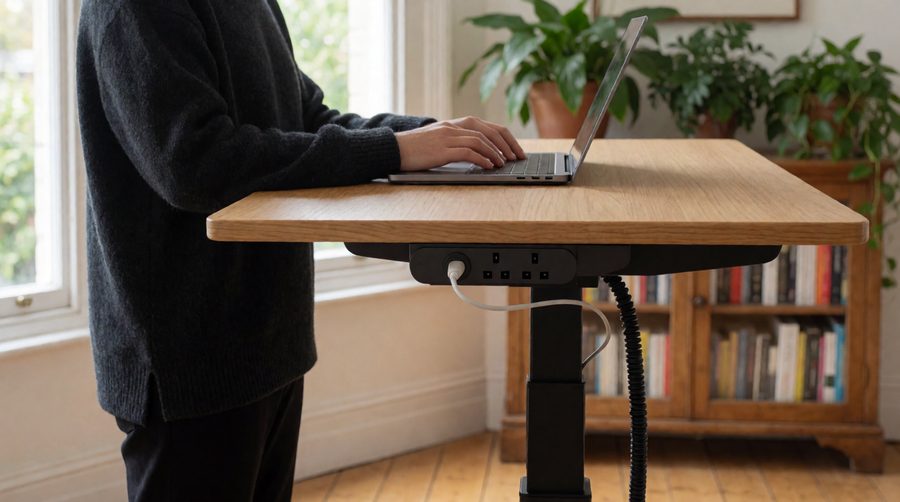
Setting up your desk sockets
- Plan where the desk goes first, so the lead reaches a wall socket directly, without an extra extension lead.
- Run the lead through the cable tray and down a leg or a cable spine, leaving a loop of slack if the frame moves.
- Plug the always-on items (monitor, lamp) in at the back and keep the front sockets free for chargers.
- Label plugs if several look the same; it makes unplugging one item easy.
- Switch the unit off at the wall when you go away for a few days, if it has no switch of its own.
Office desk power socket FAQs
Are the sockets on these office desks UK three-pin?
They should be, but check each listing. Look for UK sockets in the photos and a fused UK plug on the lead. If a listing only shows two-slot sockets or North American marks, pick another model or colour option.
Can I plug a laptop into a USB charging port?
Usually not at full speed. Built-in USB ports are typically for phones and tablets; a 20W USB-C port, like the Kowo's, is phone-level. Plug the laptop's own charger into a mains socket.
Do standing desks come with built-in sockets?
A few do, such as the Huuger electric model (4 sockets) and the HTTGDGDH (3 sockets). Most sit-stand frames only have USB on the keypad, so check the spec for "AC outlets".
How many sockets do I need?
Count your devices and add one spare. Two suit a laptop and lamp; four suit two monitors, a lamp and speakers.
Is it safe to plug a heater into desk power sockets?
No. High-power appliances such as heaters and kettles should go straight into a wall socket, not a socket strip or extension lead.
Can I add power sockets to my existing office desk?
Yes. Clamp-on and grommet-mounted socket units fit most tops without drilling, or with one cable hole.